define git-version-control --plain-english
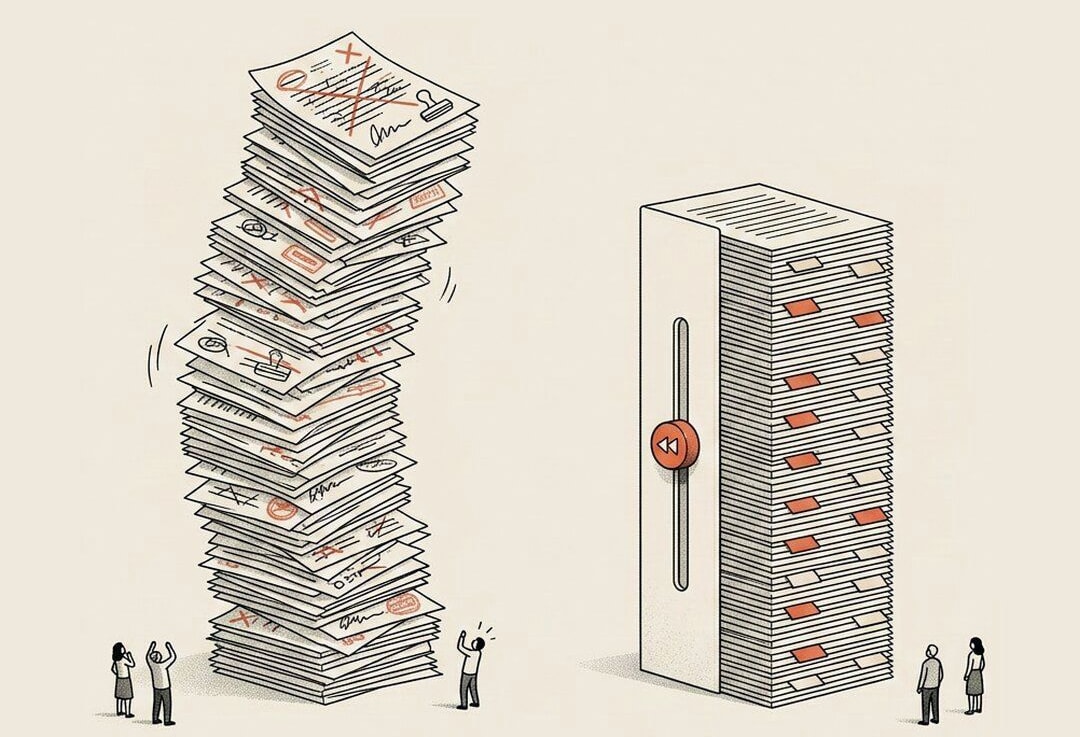
Git / Version Control
TLDR:Save points for your code.
Before Git, version control meant doing it by hand. By "people" I mean me, staring at a folder that looked like this:
final.docfinal_v2.docfinal_v2_REAL.docfinal_USE_THIS_ONE.doc
You know the graveyard. Nobody actually knows which file is the real one. Git replaces that whole pile with a single clean history you can rewind through, step by step, all the way back to the beginning.
Picture save points in a video game. You beat a hard section, the game saves. The next part kills you, and you don't restart from the title screen. You reload the save and go again. Git is that, for anything you build. Every time you take a snapshot, it remembers exactly what every file looked like at that exact moment. Break something an hour later? Jump back to a moment when it worked, like the breakage never happened.
The technical word for one of those saves is a commit, so I won't go deep here. For now just hold the picture: a snapshot, frozen in time, that you can always return to.
Why this is the actual superpower behind building with AI.
When you're moving fast and letting an agent write code, you are going to break things. That's not a maybe. Being unafraid to break things is how you find what works.
Git is what makes that fearlessness safe. You don't have to stop wrecking your project. You just have to be good enough at Git to rewind when you do.
Developers on our Android app hit a bug and told me it'd take a week to fix. It had worked fine two days earlier. So I rewound to that snapshot in about five minutes.
I've wrecked our codebase plenty of times. It has never once mattered. Every version was already saved, sitting there waiting for me to walk back to it.
A few things people don't realize about Git:
It's not only for code. Documents, notes, spreadsheets, any file under 100MB can live in Git too. Honestly, more teams should run their knowledge work this way and not just their engineering.
It's tracking changes, not just whole files. Git doesn't only know "this file changed." It knows the exact lines you added, removed, and edited between one snapshot and the next. That's how you can look back and see the entire story of how a thing got built.
The agent does most of the saving for you. Tools like Claude Code and Codex commit as they work, dropping save points along the way without you asking. So when one takes a wrong turn, you're not starting your morning over. You roll back to the last good snapshot and go again.
The one line to walk away with:
You can't break anything for good when every version is saved.
That's the real shift. Building stops feeling like walking a tightrope and starts feeling like sketching in pencil. Mess it up, erase, try again. The work underneath is never actually at risk.