define ssh --plain-english
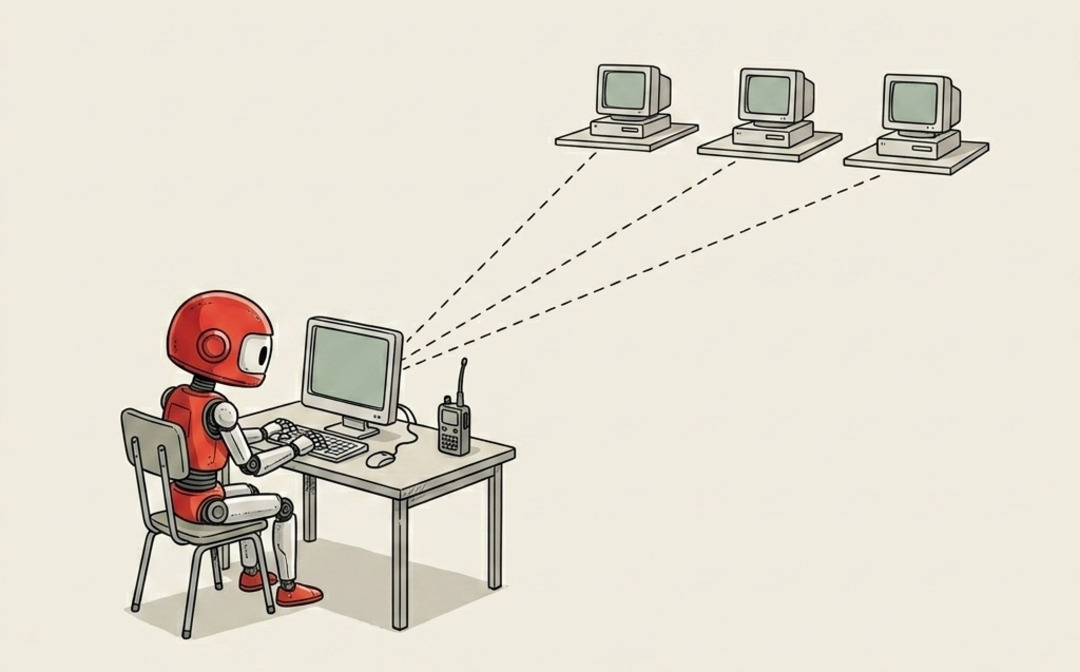
SSH
TLDR:Not screen sharing.
SSH is the thing that lets you use one computer from another computer's terminal.
Not screen sharing. Not remote desktop. No little cursor moving around a tiny laggy screen.
Just: I type a command on my laptop, and it runs on the Mac mini under my desk.
The plain-English version is a walkie-talkie to another machine. Your laptop says, "hey Mac mini, run this." The Mac mini hears it, runs it, and sends the answer back as text.
That's it. Less Matrix. More walkie-talkie.
Why this matters for AI agents.
Before agents, SSH felt like a developer party trick I didn't need. If I wanted to use a computer, I sat in front of it.
Agents changed that.
Now I have a Mac mini that stays awake and runs agent work when I am not sitting there. I might start something from my Mac Studio, check it from my laptop, then peek at the result from my phone later. SSH is what makes that possible, whichever machine I'm talking to.
Instead of asking, "which computer am I physically using?" the better question becomes: "which computer should run this job?"
That is a very different relationship with your machines.
The useful mental model.
Think of your remote computer like a locked office across town.
Screen sharing is driving over there, sitting at the desk, and moving the mouse yourself.
SSH is calling the office and saying:
check disk space
restart the agent
show me the logs
The computer does the thing and reads the answer back to you.
You are not "inside" the computer in a magical way. You are sending it typed instructions through a secure connection.
Why the first setup feels annoying.
SSH needs two things:
- an address for the other machine
- proof that you are allowed in
The address might be a local IP, a Tailscale device name, or a hostname. The proof is usually an SSH key, which is basically a much safer password your computer can use without you typing it every time.
Once that is set up, you can make aliases so you never type the full command again.
On my machine, the nice version is one word:
mini
That opens the Mac mini.
Not because mini is a magic command. Because the boring SSH config underneath knows which machine I mean, which user to use, and which key proves I am allowed in.
The distinction that makes it less scary.
SSH is not giving the whole internet access to your computer. Or at least, it absolutely should not be.
The safe setup is private. I use Tailscale so my machines can see each other without exposing the Mac mini to the public internet. Remote Login is on, but the doorway is inside my private network.
That is the difference between "I can reach my own machine" and "random people on the internet can try the door." Please aim for the first one.
Once SSH clicks, a lot of agent infrastructure suddenly feels less abstract.
A headless Mac mini is just a computer you talk to by text. An always-on agent is just a process running somewhere you can reach. Logs are just files you can ask for from another room.
SSH is the walkie-talkie to any machine you own.
Not glamorous. Extremely useful.